What's New in Sasha
Discover the latest updates in Sasha from our documentation and blog.
Compare Questionnaire Responses Over Time
October 2026
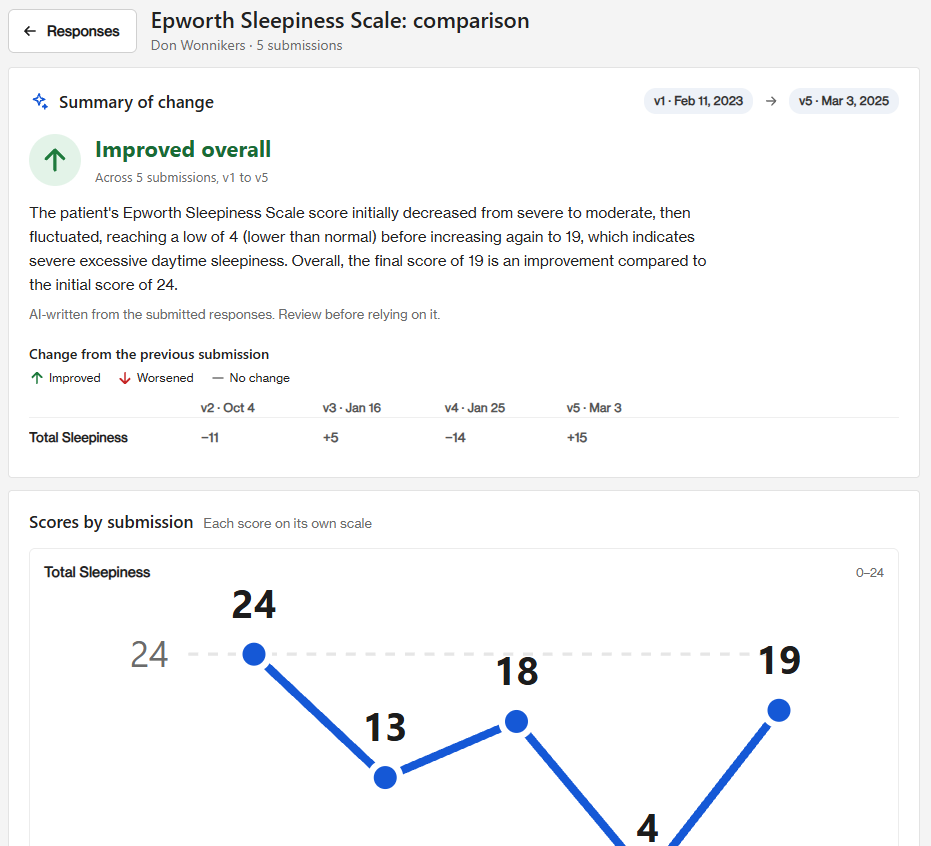
Send the same questionnaire each month, and Sasha compares every submission side by side, showing the score change and an overall trend. For example, you can send the Epworth Sleepiness Scale monthly and see where your client is heading, which supports measurement-based care and longitudinal work.
A New Cases Home Page
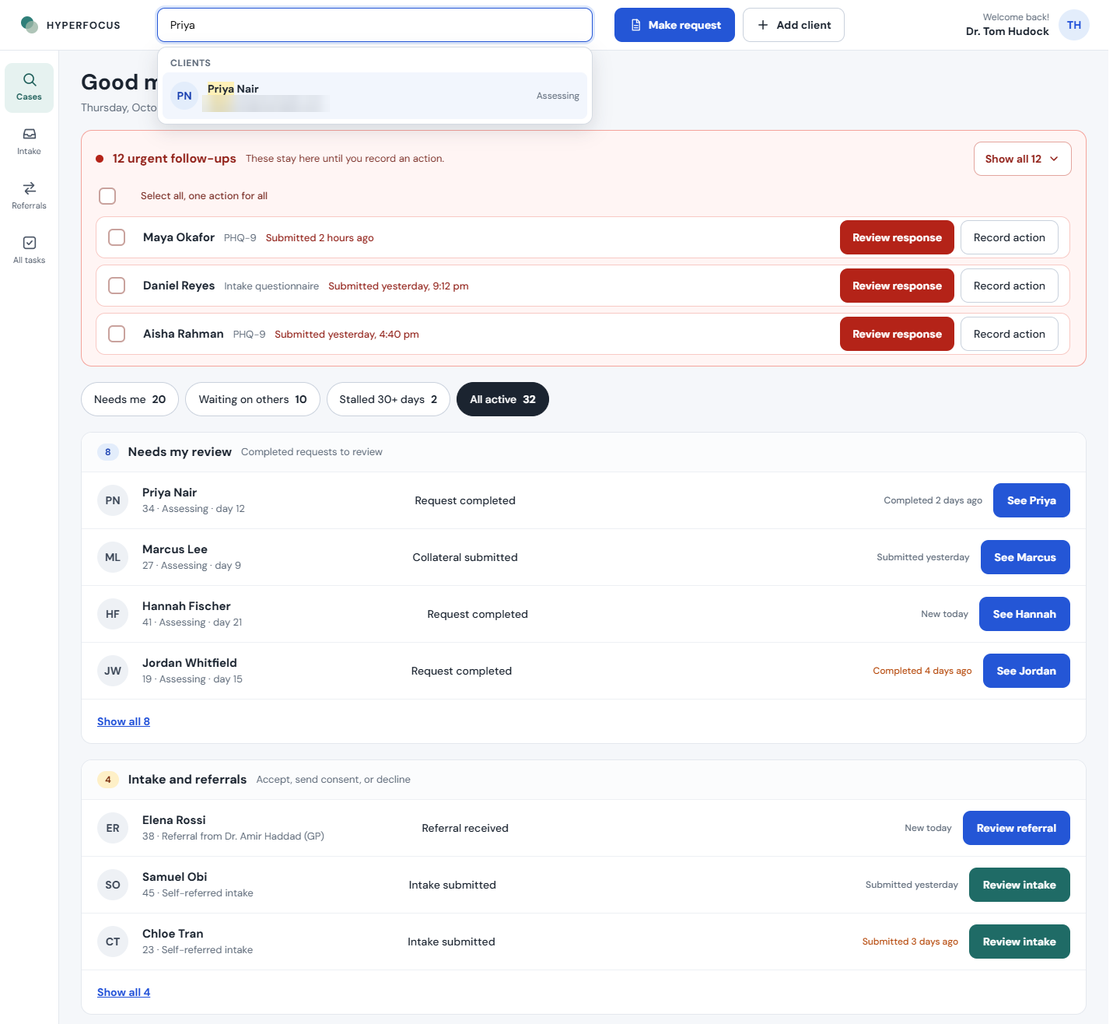
Cases now opens on an action queue instead of a list. Urgent follow-ups stay pinned until you record an action, and work is sorted into queues like Needs my review, Waiting on client and Ready to discharge, so you can see what needs you at a glance.
Incoming Referrals
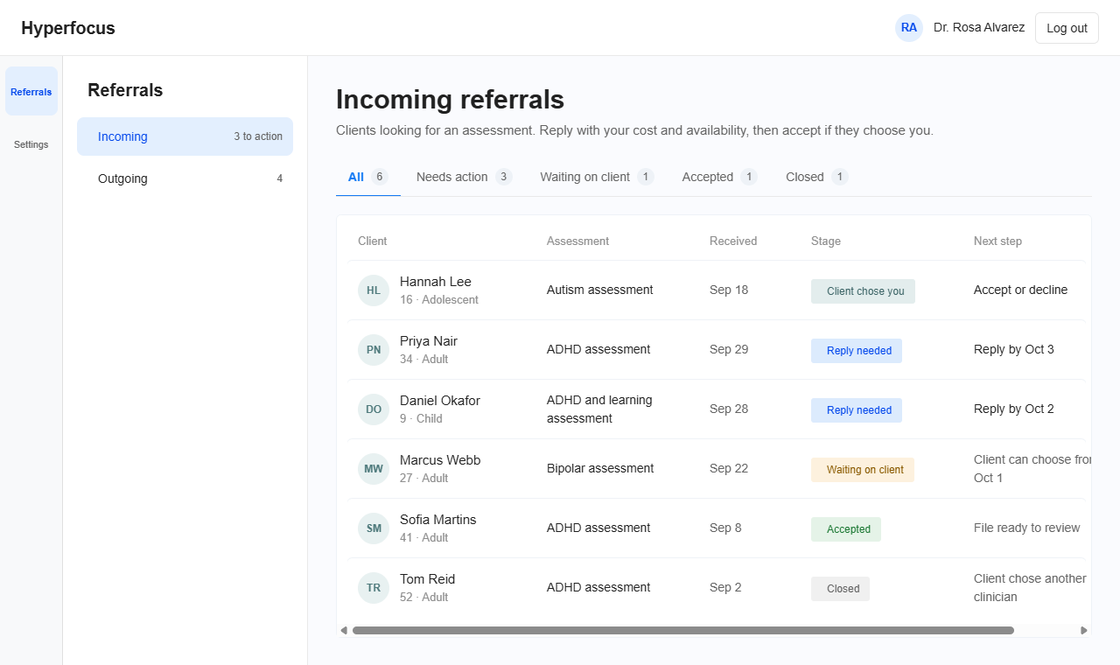
Opt in to receive referrals, and clients looking for an assessment in your practice jurisdiction are sent to you. Reply with your cost and availability, then accept if the client chooses you. Each referral has a clear reply-by date.
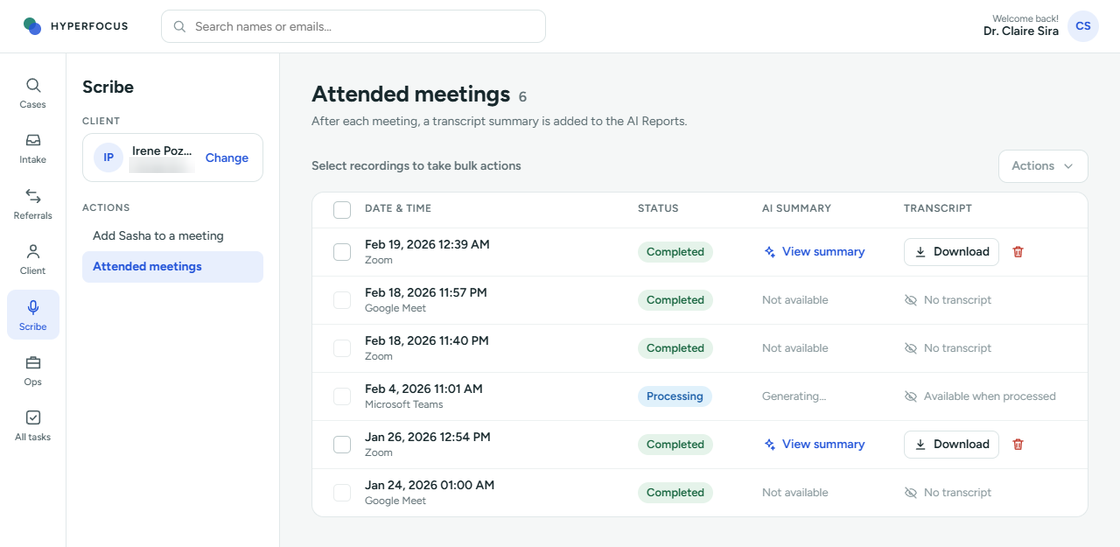
Scribe for Zoom, Google Meet and Teams
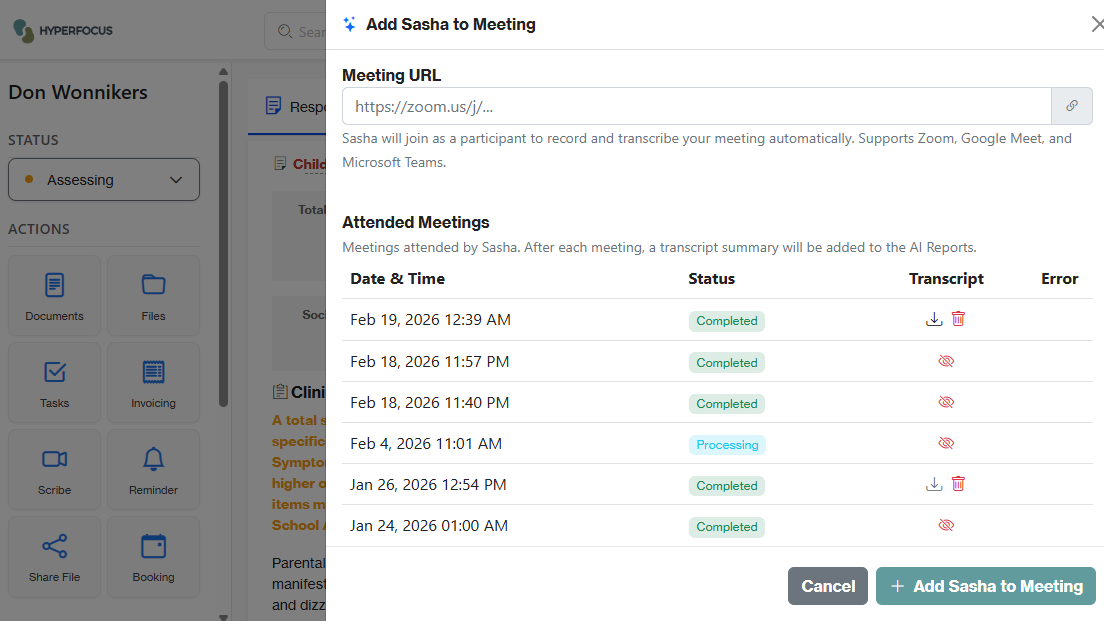
Add Sasha to a Zoom, Google Meet or Microsoft Teams call and Scribe joins you. After each meeting, a transcript summary is added to the client's AI Reports, and you can download the full transcript from your Attended meetings list.
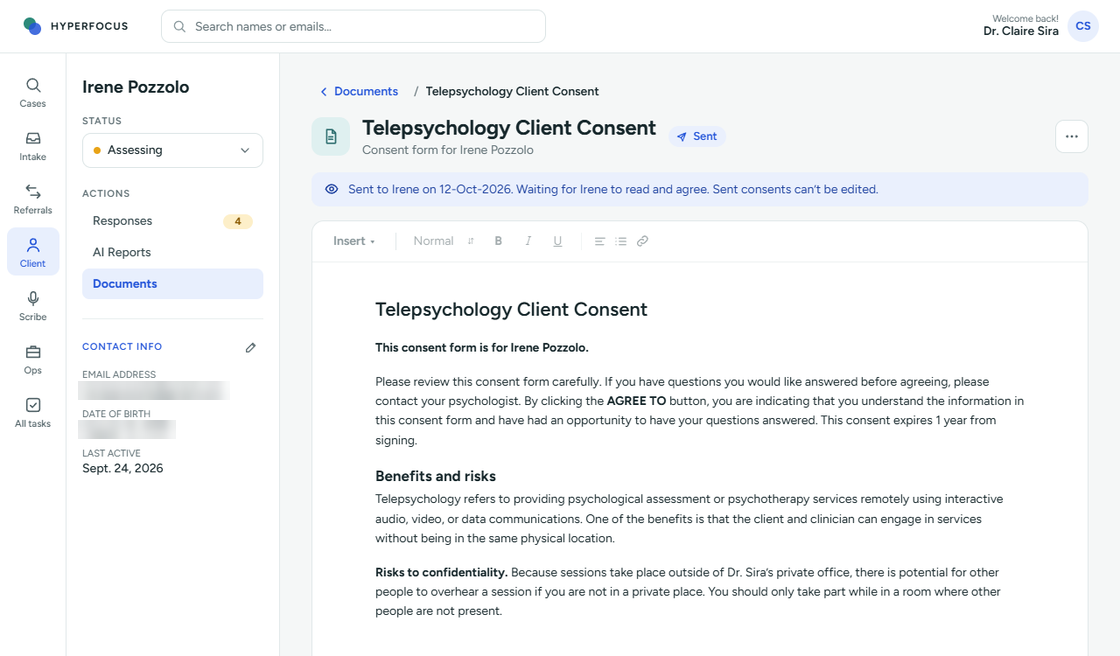
Documents and Files in One List
Documents and Files are now a single list on the client file. Documents open and edit inside Sasha with a built-in editor, show their status and sent date, and sent consents are locked from editing.
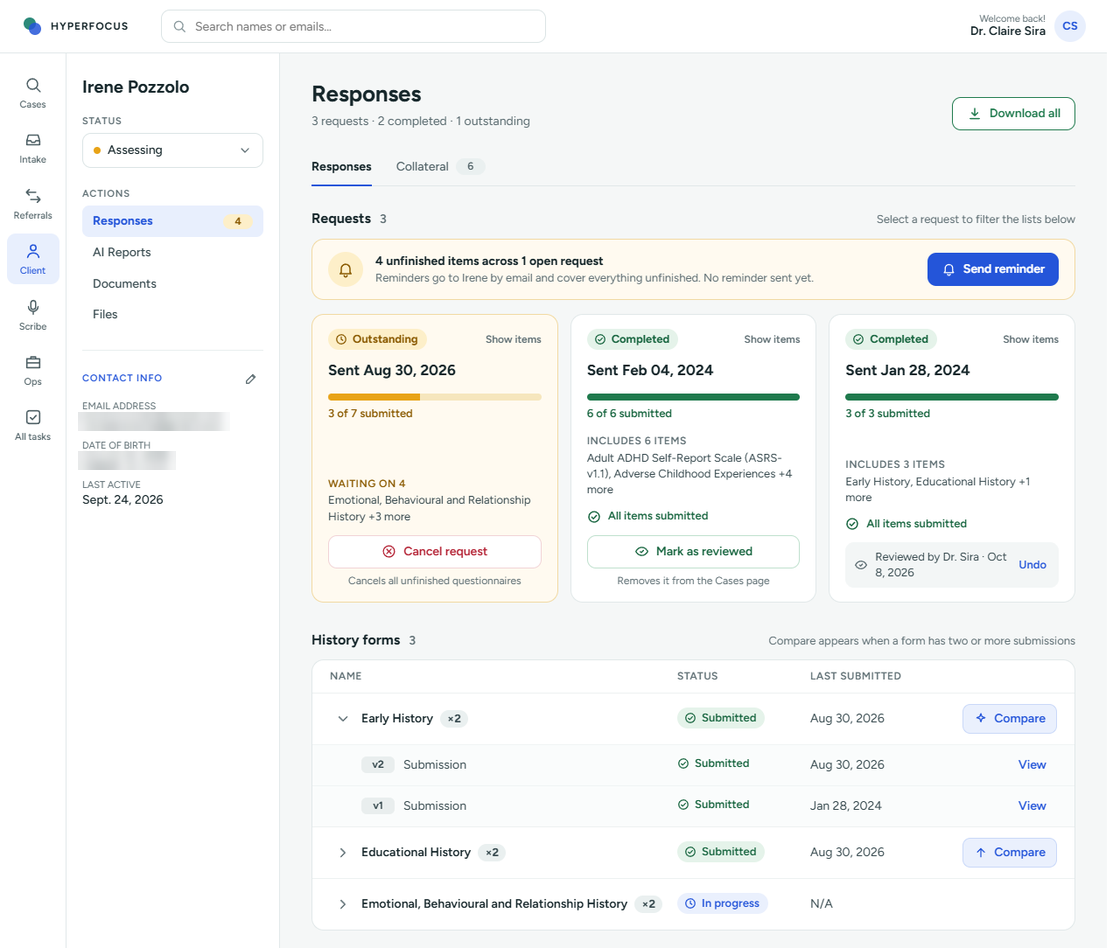
Client Responses
Each request is now a card showing its progress, such as 3 of 7 submitted. One Send reminder covers everything outstanding, you can cancel a single questionnaire without closing the request, and Compare appears once a form has two or more submissions.
PHQ-8 in the Questionnaire Library
The PHQ-8 is now in the Questionnaire Library, with automatic scoring and severity bands, ready to send alongside your other questionnaires.
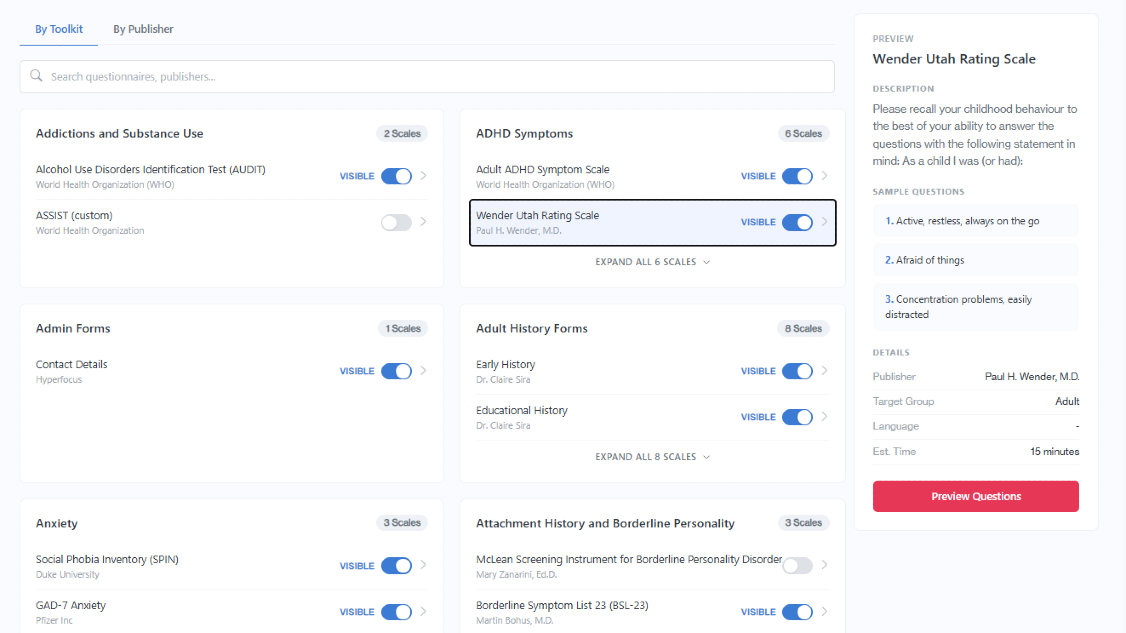
Questionnaire Library
March 2026
Choose from a battery of questionnaires, history forms, and informant collateral. Simply select from the toolkits or publishers for a list when you make a request to a client.
Invoicing Clients
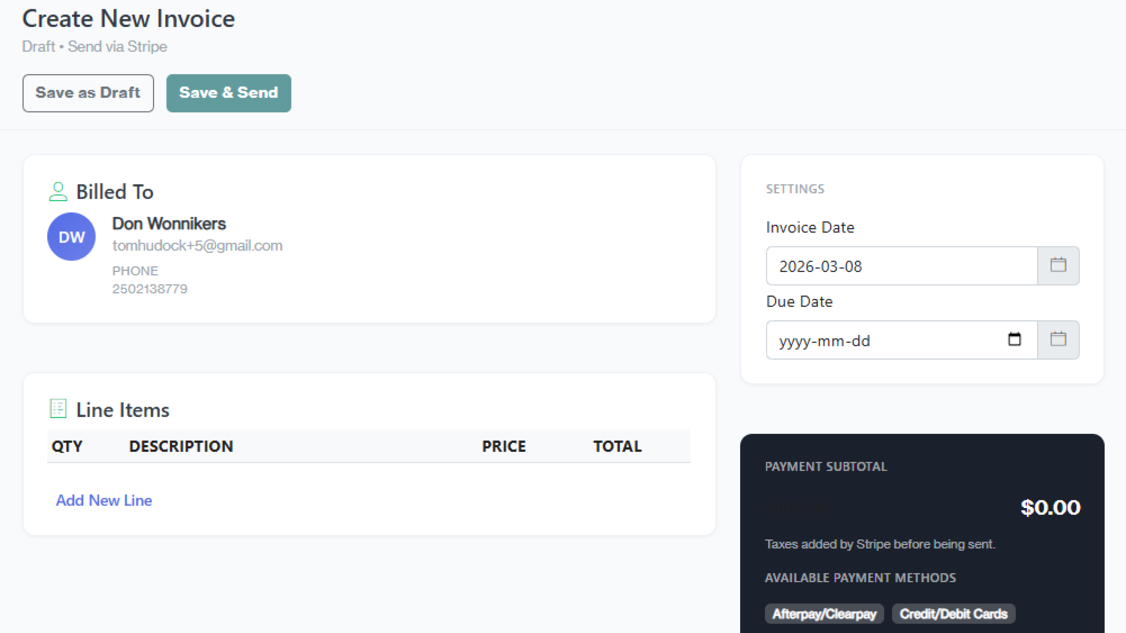
Wrap up a session or assessment with an invoice to a client. Keep it completely secure and available through the client dashboard. Accept payments from credit cards and e-transfers using the internationally accepted payment processor - Stripe.
Client Removal
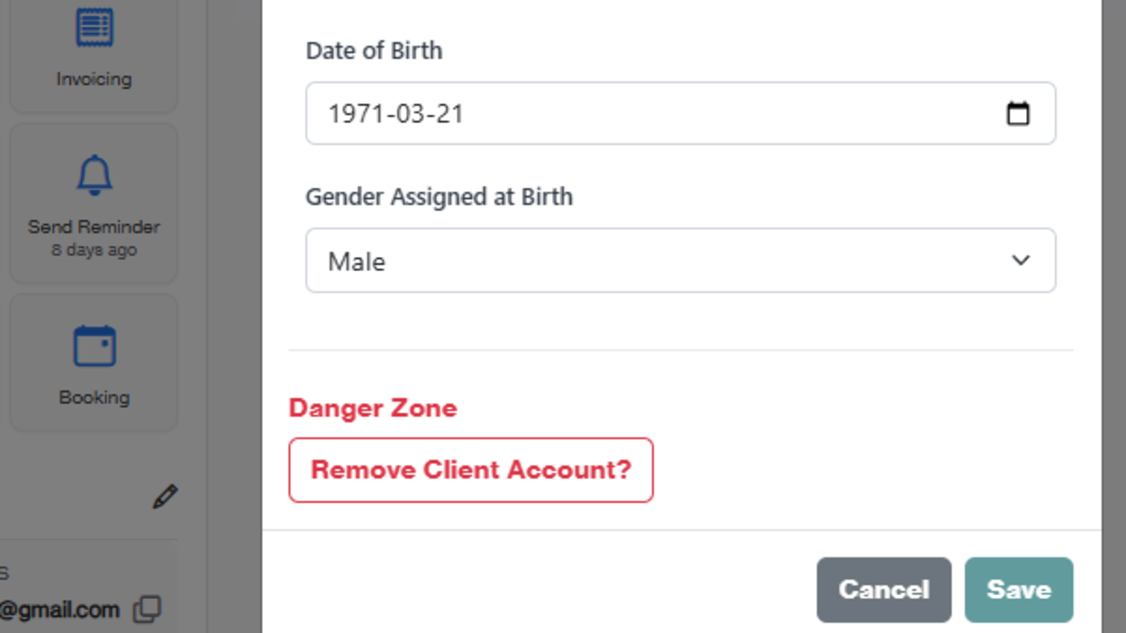
Data retention is a requirement in healthcare but sometimes clients should be removed from your client file. Finally, you can remove those clients and no longer hold onto their information.
AI Scribe
February 2026
Equipped with an AI scribe who listens, transcribes, and summarizes using clinical rules. Simply invite to the online interview or note recording session and Sasha will quietly join you.
Custom Booking Pages
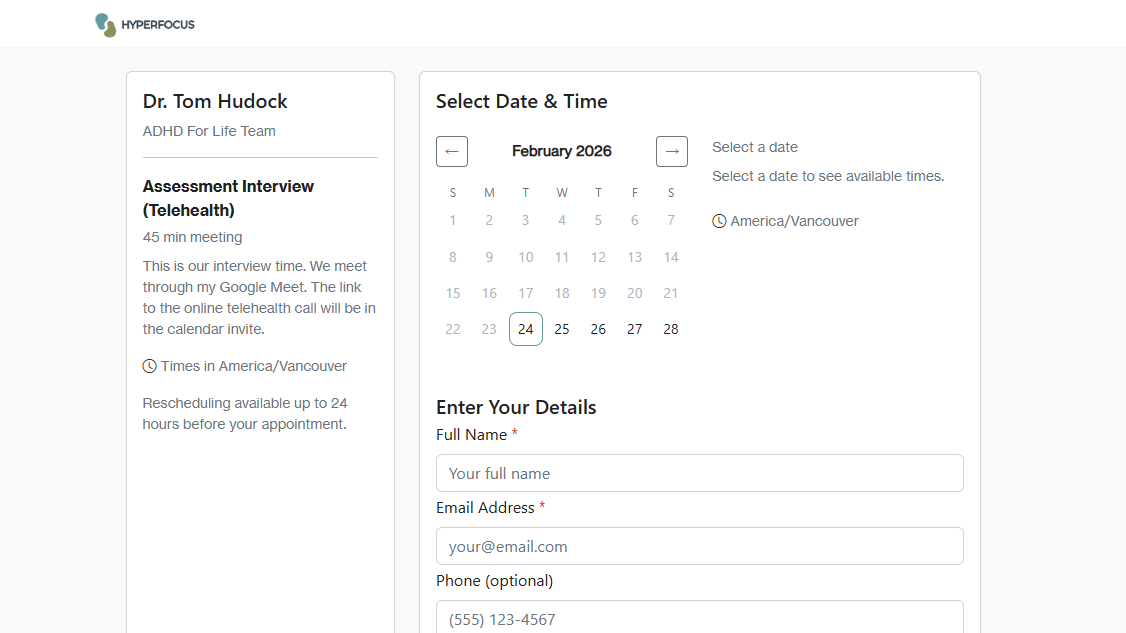
Configurable for interviews, sessions, and in-person meetings. Track the session requests sent to clients, send reminders, and eliminate the no-shows. Perfect for in-person and online sessions.
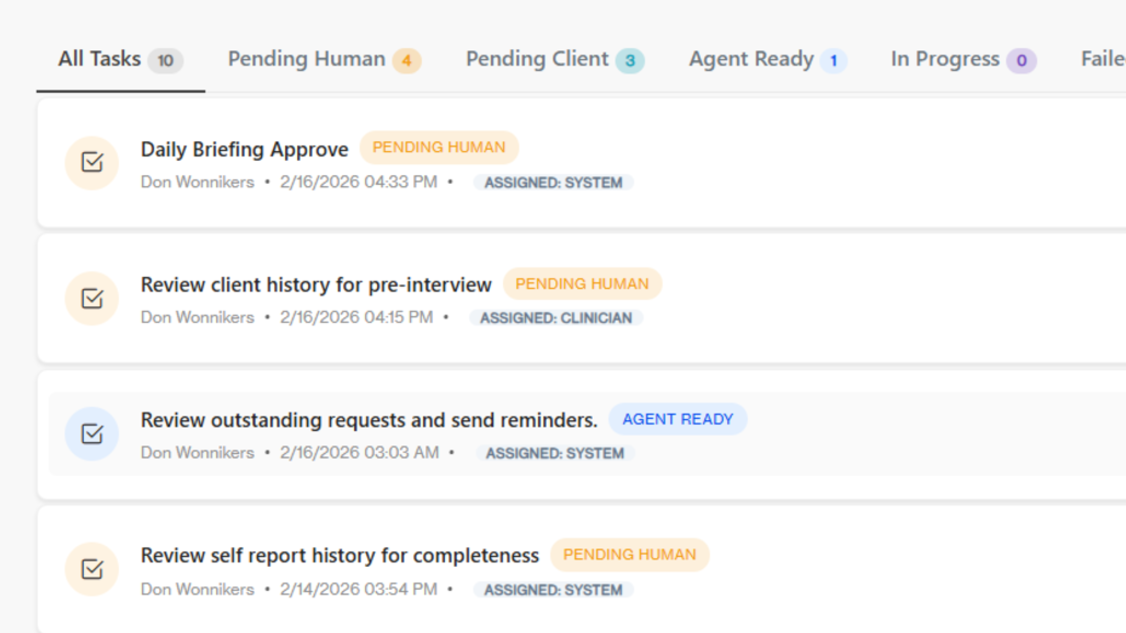
Managing Tasks
Not just a list of To-Do's, tasks are for clients too. Tasks are especially helpful when managing several assessments, clients, and informants. There's no need for external spreadsheets to know what's going on.